
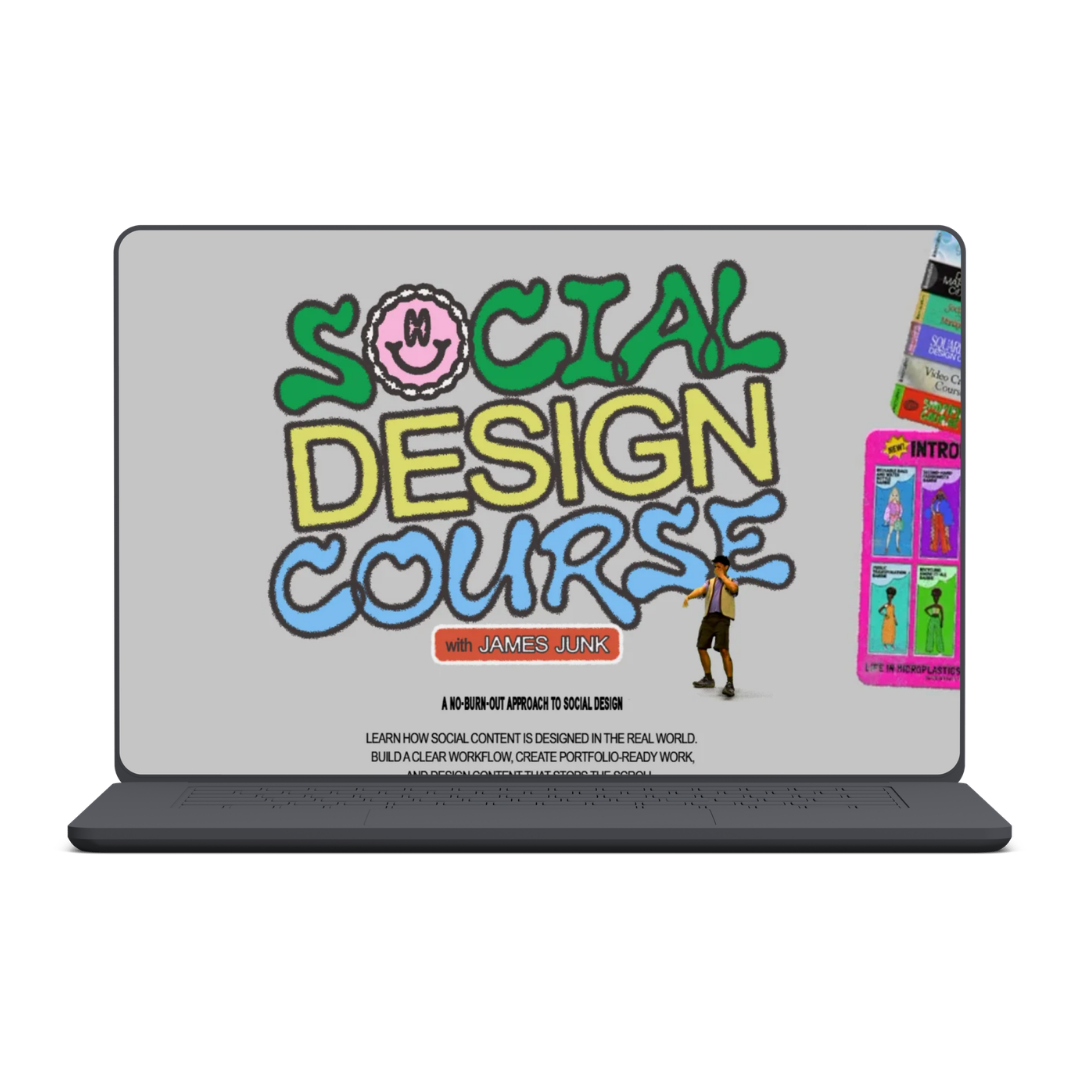
ilovecreatives – Social Design Course

Learn social media design, Figma systems, campaign creation, client workflows, portfolio building, and freelancing with feedback from a professional designer.
Learn How Social Content Is Designed in the Real World
Knowing how to create attractive graphics does not automatically make social design easy.
Social content moves quickly. Designers must interpret incomplete briefs, understand performance goals, maintain brand consistency, generate fresh concepts, create multiple versions, and deliver everything without starting from zero for every post.
The ilovecreatives Social Design Course provides a practical, self-paced workflow for managing that entire process. Led by designer and art director James Junk, the program teaches you how to move from an initial social brief to a reusable design system, complete campaign, polished delivery, and portfolio-ready case study.
The goal is to help you create attention-grabbing social content more efficiently—without turning every project into an exhausting, never-ending design cycle.
What You’ll Learn
Inside the course, you can learn how to:
- Interpret real-world social media briefs
- Identify objectives, restrictions, and key performance indicators
- Ask better questions before starting a project
- Audit how a brand currently appears on social media
- Translate brand guidelines into feed-ready content
- Build reusable social design systems in Figma
- Develop scalable layouts for multiple content types
- Create elevated campaign concepts
- Produce variations for different placements and tests
- Explain creative decisions with greater confidence
- Quality-check and package work for delivery
- Turn course projects into professional case studies
- Pitch social design services to clients
- Price creative work without automatically underselling yourself
- Build a repeatable workflow that reduces creative burnout
What’s Included in the Social Design Course?
Section 1: How to Dissect Social Briefs
A strong project begins before the designer opens Figma.
This section teaches you how to investigate a brief, understand the campaign’s goals, and decide what information is genuinely required before moving forward.
You’ll explore how to:
- Break down social briefs efficiently
- Identify constraints, objectives, and useful signals
- Understand the relevant KPI
- Decide what to ask, assume, or clarify
- Begin designing when the situation is imperfect
These skills can help you avoid wasted revisions and make more confident decisions early in the project.
Section 2: Conduct a Social Brand Audit
Brand guidelines do not always explain how a visual identity should behave inside a fast-moving social feed.
In this section, you will complete a social brand audit for a selected brand and learn how to evaluate its current social presence.
Topics include:
- Reading brand guidelines through a social-media lens
- Translating tone, voice, and visual identity into content
- Identifying which brand elements must remain consistent
- Recognizing where creative flexibility is possible
- Maintaining continuity across multiple posts and formats
- Balancing brand recognition with scroll-stopping design
Section 3: Build a Social Toolkit in Figma
Creating every post from a blank canvas can slow production and drain creative energy.
This section shows you how to build a reusable toolkit that supports different types of social content while preserving clarity and brand consistency.
You’ll learn how to:
- Build a social design toolkit in Figma
- Develop reusable layouts and components
- Think through information using visual and infographic principles
- Create systems that scale across content types
- Increase production speed without removing creativity
- Reduce the need to reinvent layouts for every assignment
Section 4: Create a Social Campaign
Social content is often developed as a connected campaign rather than a collection of unrelated posts.
In this section, you will concept and design a social campaign of your own.
The lessons cover how to:
- Develop elevated, on-brand concepts
- Push creative ideas without weakening brand trust
- Compare alternative design directions
- Select an appropriate visual approach
- Present and defend your reasoning
- Communicate campaign ideas confidently to clients or collaborators
Section 5: Design and Versioning
Social campaigns frequently require multiple sizes, formats, placements, and creative variations.
This section introduces ilovecreatives’ no-burnout approach to versioning and delivering social assets.
You’ll learn how to:
- Adapt a concept into multiple versions
- Work efficiently across repeated formats
- Check designs before delivery
- Maintain consistency between assets
- Package completed work clearly
- Prepare files for a smoother handoff
Section 6: Freelancing Social Design
Social design can become an additional freelance service, a portfolio specialty, or a path into full-time creative work.
The final section covers how to position and sell the skill professionally.
Topics include:
- Turning course assignments into case studies
- Showing the process behind the final visuals
- Presenting creative thinking in a portfolio
- Pitching projects to clients and collaborators
- Discussing ideas with greater authority
- Pricing services without undervaluing your work
- Developing a dependable client workflow
Personalized Feedback From James Junk
Students submit their course work for constructive one-to-one feedback from James Junk.
His work has reportedly received recognition from the Webby Awards and Shorty Impact Awards. The feedback is intended to provide clear next steps rather than vague opinions, helping students understand what to improve and why.
Learn From an Experienced Social Designer
James Junk is the designer and art director behind the ilovecreatives social channels.
Before joining ilovecreatives, he worked at Impact, a digital media brand with more than 2.4 million followers. His experience includes high-volume organic social content, paid advertisements, and partnership work involving brands such as Beyond Meat, KEEN, Strava, Hinge, and Climate Power.
The course teaches the workflow he uses to interpret briefs, develop social-first concepts, version designs, and deliver polished creative assets at scale.
Client Resources, Rewards, and Lifetime Access
The program includes resources designed for pitching, presenting, and completing real client work.
Students can also unlock course levels, rewards, and bonus materials as they progress. The official page advertises ongoing access, allowing students to return to the lessons and complete the program on their own schedule.
Who Is This Course For?
The Social Design Course may suit:
- Freelance designers adding social content to their services
- Full-time designers managing high content volumes
- Recent graduates building employable portfolios
- Brand designers adapting identity systems for social media
- Senior designers improving decision-making and presentation skills
- Digital marketers who want to brief designers more effectively
- Business owners creating their own branded content
- Creatives who are tired of overthinking every post
- Designers seeking more consistent retainer work
No formal design degree is required. However, students should be prepared to learn Figma, complete practical assignments, accept feedback, and develop their visual judgment.
Price, Access, and Enrollment
The supplied sales page advertises the course at $749.
Enrollment includes:
- Immediate access to the self-paced curriculum
- Six structured course sections
- Practical social-design projects
- One-to-one professional feedback
- Student Discord access
- Client-facing resources
- Rewards and bonus materials
- Ongoing course access
See More: Kyle Skelly - The Future Designer , Get Design - Copy Any Website Design In One Click
ilovecreatives – Social Design Course
Name of course: ilovecreatives – Social Design Course
Delivery Method: Instant Download (Mega)
Contact for more details: Digitalhub.courses@gmail.com